









Running a language model on your own machine used to mean compiling C++ and babysitting CUDA versions. Ollama reduced the whole thing to three commands: install, pull, run. By the end of this guide you’ll have a chat-capable open-weights model running locally, a customised version tuned to your taste via a Modelfile, and a small Python script calling it through its local REST API. No API keys, no per-token bills, and your prompts never leave the machine.
This is for developers who want a private LLM for side projects, prototyping, or anything involving data you don’t want to upload. If you’ve used Docker, you’ll feel at home: Ollama’s mental model is deliberately close to it.
Prerequisites
- OS: Linux, macOS (11 Big Sur or newer), or Windows 10/11. The steps below are written for Linux and macOS; Windows users can follow along after installing from ollama.com/download.
- RAM: 8 GB minimum for 7–8B models; 16 GB is comfortable. A GPU helps a lot but isn’t required — Ollama falls back to CPU.
- Disk: ~5 GB free per model you want to keep.
- Network: needed once, to download models. After that everything works offline.
Step 1: Install Ollama
On Linux, the official installer handles everything:
curl -fsSL https://ollama.com/install.sh | shOn macOS, either download the app from the site or use Homebrew:
brew install --cask ollamaVerify it’s alive:
ollama --version
curl http://localhost:11434/api/version
You should see a version string from the first command and a small JSON blob like {"version":"0.x.x"} from the second. The server starts automatically on boot on macOS and Windows; on Linux it runs as a systemd service after install.
Step 2: Pull and run your first model
Models live in a public library at ollama.com/library. For a first run, pick something small. llama3.1:8b (Meta’s Llama 3.1, 8B parameters, ~4.7 GB) is a solid default; qwen2.5:7b is another strong choice.
ollama pull llama3.1:8b
ollama run llama3.1:8b
The first command downloads the model; the second drops you into a chat prompt. Try it:
>>> Explain recursion like I'm a chef.
# ...the model answers...
/bye
Type /bye to exit, /? inside the chat to see other commands (/set lets you tweak parameters mid-chat). Rough sizing guide: a 7–8B model needs ~8 GB RAM, a 13B ~16 GB, and a 70B quantised model wants 40 GB+ — so stay small until you know your machine’s limits.
Step 3: Customise a model with a Modelfile
A Modelfile is Ollama’s equivalent of a Dockerfile: it bakes a system prompt and parameter defaults into a named model so you don’t have to repeat them every session. Create a file called Modelfile:
FROM llama3.1:8b

PARAMETER temperature 0.2
PARAMETER num_ctx 8192

SYSTEM """
You are a terse senior Python engineer doing code review.
Point out bugs and security issues first, style nits last.
Keep every reply under 150 words. Never add flattery.
"""
Then build and run it:
ollama create code-reviewer -f Modelfile
ollama run code-reviewer
Paste in a function and watch it behave like a reviewer rather than a chatbot. PARAMETER accepts anything /set does — num_ctx sets the context window, temperature the randomness. You can also start FROM a local .gguf file to import models Ollama doesn’t ship, which is handy if you quantise your own (see our quantisation guide).
Step 4: Use the local API from your own code
Ollama exposes a REST API on port 11434. The simplest endpoint takes a prompt and returns text:
curl http://localhost:11434/api/generate -d '{
  "model": "code-reviewer",
  "prompt": "Review this: def f(x): return eval(x)",
  "stream": false
}'
For multi-turn chat, use /api/chat with a messages array. And if your code already speaks OpenAI, Ollama is compatible with that dialect too:
curl http://localhost:11434/v1/chat/completions -d '{
  "model": "llama3.1:8b",
  "messages": [{"role": "user", "content": "Say hi in one word."}]
}'
A minimal Python caller:
import requests

def ask(model, prompt):
    r = requests.post(
        "http://localhost:11434/api/generate",
        json={"model": model, "prompt": prompt, "stream": False},
        timeout=120,
    )
    r.raise_for_status()
    return r.json()["response"]

print(ask("llama3.1:8b", "What is the capital of Norway?"))
This is the same pattern you’d use to give a RAG pipeline or an agent its brain — the model just happens to live on localhost.
Step 5: Manage your models
A few housekeeping commands worth memorising:
ollama list        # what is downloaded
ollama ps          # what is currently loaded in memory
ollama show llama3.1:8b   # parameters, template, license
ollama rm old-model       # free the disk space
Models unload from RAM automatically after five minutes idle. If you want one kept warm, ollama run it and leave the session open.
A note on choosing models
The library at ollama.com/library grows constantly, and bigger isn’t automatically better. For general chat and coding help, a well-made 7–8B instruct model beats a sloppy 70B quant in both speed and coherence on consumer hardware. Pay attention to the tag: :latest moves over time, while pinned tags like llama3.1:8b don’t, so pin versions in anything you share with others. Also check the model’s context window — older 4k-context models will silently truncate long documents, while newer ones ship with 32k or 128k. When in doubt, ollama show model --modelfile reveals the template and parameters baked into whatever you pulled.
One more habit worth building: keep a text file of the Modelfiles you create. They’re tiny, they version-control beautifully, and six months from now you won’t remember what temperature your “code-reviewer” used.
Where things go wrong
“Error: could not connect to localhost:11434”. The server isn’t running. On Linux, systemctl status ollama will tell you; start it with ollama serve in a terminal as a fallback.
Port 11434 already in use. Something else grabbed it. Set OLLAMA_HOST=127.0.0.1:11435 before starting the server, and point your API calls at the new port.
Glacial speed on CPU. Expected for 8B+ models without a GPU — roughly 5–15 tokens/sec on a modern laptop CPU. Drop to a 3B model (ollama pull llama3.2:3b) for something snappier, or accept that local CPU inference is a background-task speed.
Out of memory. Ollama will try to partially offload to CPU and crawl. Check ollama ps — if the model is bigger than your RAM, pull a smaller quant or model.
Wrap-up
You now have a private LLM runtime: installed in minutes, customised with a Modelfile, and callable from any language that can do HTTP. The natural next step is giving it knowledge it wasn’t trained on — our RAG pipeline tutorial builds exactly that on top of the Ollama API you just learned. And when one machine stops being enough, our vLLM setup guide covers serving open models in production.
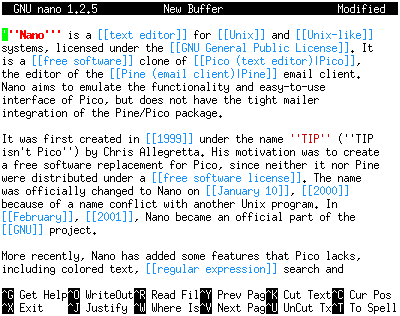
Featured image: a Linux terminal running the GNU nano text editor (David Benbennick, via Wikimedia Commons — CC BY-SA 3.0 Unported).