









Full fine-tuning of a language model is out of reach for most of us — it needs the VRAM to hold the model, its gradients, and the optimizer state all at once. LoRA (Low-Rank Adaptation) sidesteps that: it freezes the base model and trains a tiny set of “adapter” weights instead, typically under 1% of the parameters. Unsloth makes this dramatically faster and leaner with hand-optimised kernels. In this guide you’ll fine-tune a small open model on a free GPU (Colab’s T4 works), save the adapter, and run inference with it.
You’ll learn the standard QLoRA recipe: 4-bit base model plus LoRA adapters. It’s the same approach behind most community fine-tunes on Hugging Face.
Prerequisites
- GPU: an NVIDIA GPU with 8 GB+ VRAM. A free Colab T4 (16 GB) is enough for a 1B model; a 7–8B model wants 16 GB+ or a smaller sequence length.
- Python: 3.10 or 3.11. Unsloth is CUDA-focused and doesn’t support Apple Silicon or AMD cleanly — use a cloud GPU if you’re on a Mac.
- A Hugging Face account: only needed for gated models (like Llama). Qwen models are ungated and simpler for a first run.
Step 1: Install the stack
pip install unsloth trl transformers datasets accelerate bitsandbytesUnsloth patches transformers at import time for speed — importing it first in your script is what activates the fast kernels. Verify the GPU is visible before going further: nvidia-smi should list your card.
Step 2: Load the base model in 4-bit
Create train.py. We load a small instruct model with 4-bit quantisation (that’s the “Q” in QLoRA):
from unsloth import FastLanguageModel

model, tokenizer = FastLanguageModel.from_pretrained(
    model_name="unsloth/Qwen2.5-0.5B-Instruct",
    max_seq_length=2048,
    dtype=None,            # auto: bfloat16 on Ampere+, float16 otherwise
    load_in_4bit=True,
)
Unsloth maintains pre-quantised -bnb-4bit versions of popular models under the unsloth/ namespace, which skip a slow quantisation step at load. A 0.5B model trains in minutes on a T4 and is ideal for learning the workflow; the same script works for 7–8B models if you have the VRAM.
Step 3: Attach the LoRA adapters
model = FastLanguageModel.get_peft_model(
    model,
    r=16,                  # LoRA rank: capacity of the adapter
    lora_alpha=16,         # keep equal to r for stable training
    lora_dropout=0,        # Unsloth's kernels assume 0
    bias="none",
    target_modules=["q_proj", "k_proj", "v_proj", "o_proj",
                    "gate_proj", "up_proj", "down_proj"],
    use_gradient_checkpointing="unsloth",  # saves ~30% VRAM
    random_state=42,
)
The base model weights are now frozen; only the LoRA matrices train. r=16 is the standard starting point — raise it to 32 or 64 if the model underfits your task, at the cost of memory and time. Run model.print_trainable_parameters() to confirm: for a 0.5B model you’ll see roughly 4% trainable, for an 8B model around 0.5%.
Step 4: Prepare your dataset
Models train on text, not spreadsheets. Format your data as instruction/response pairs in a text column. For this walkthrough we’ll use the well-known Alpaca-style data and a chat template:
from datasets import load_dataset

dataset = load_dataset("yahma/alpaca-cleaned", split="train[:2000]")

def to_text(example):
    messages = [
        {"role": "user", "content": f"{example['instruction']}\n{example['input']}".strip()},
        {"role": "assistant", "content": example["output"]},
    ]
    return {"text": tokenizer.apply_chat_template(
        messages, tokenize=False, add_generation_prompt=False)}

dataset = dataset.map(to_text, remove_columns=dataset.column_names)
print(dataset[0]["text"][:300])  # always inspect one example before training
That inspection line is not optional. Malformed training text — missing template tokens, truncated fields — is the single most common reason fine-tunes produce gibberish. For your own data, build a JSONL file with instruction/input/output fields and load it with load_dataset("json", data_files="train.jsonl").
Step 5: Train
from trl import SFTTrainer
from transformers import TrainingArguments

trainer = SFTTrainer(
    model=model,
    tokenizer=tokenizer,
    train_dataset=dataset,
    args=TrainingArguments(
        output_dir="outputs",
        per_device_train_batch_size=2,
        gradient_accumulation_steps=4,   # effective batch size = 8
        max_steps=60,
        learning_rate=2e-4,
        fp16=True,
        logging_steps=5,
        save_steps=60,
        optim="adamw_8bit",
        seed=42,
    ),
)
trainer.train()
On a T4, 60 steps on a 0.5B model takes a few minutes. Watch the loss: it should fall steadily from ~2–4 toward ~1. A loss that flatlines high usually means bad data formatting (see step 4); a loss that crashes to near-zero in ten steps means your dataset is too repetitive.
Step 6: Save and test the adapter
model.save_pretrained("my-lora")       # adapters + config only, a few MB
tokenizer.save_pretrained("my-lora")

# --- inference ---
FastLanguageModel.for_inference(model)  # 2x faster inference kernels
inputs = tokenizer(
    ["Explain photosynthesis in one sentence:"],
    return_tensors="pt").to("cuda")
out = model.generate(**inputs, max_new_tokens=64, temperature=0.7)
print(tokenizer.decode(out[0], skip_special_tokens=True))
The my-lora folder contains adapter_model.safetensors plus config — tiny, because the base weights aren’t duplicated. To share or deploy, push both the adapter and a note of the exact base model to the Hugging Face Hub. To use the adapter elsewhere (Ollama, vLLM), merge it into the base model first with model.save_pretrained_merged(...) and then quantise — our quantisation guide covers that path.
Tuning the knobs that matter
Two hyperparameters dominate LoRA results. The learning rate of 2e-4 is the community default for a reason — much higher and training diverges, much lower and nothing happens within your step budget. The rank r controls adapter capacity: r=8 trains fast but may underfit a complex style, r=64 captures more but needs more data to avoid memorising it. For most tasks r=16 with a few thousand examples is the sweet spot.
Data quality beats both. A thousand carefully written examples in your exact format outperform ten thousand scraped ones. Deduplicate aggressively — repeated near-identical examples teach the model to parrot rather than generalise — and hold out 5–10% of your data as an eval set you never train on. After training, generate answers for the held-out prompts and read them yourself; automated metrics for fine-tunes are still a weak substitute for eyeballs.
Where things go wrong
CUDA out of memory. Halve max_seq_length, drop the batch size to 1, or move to a smaller model. Don’t raise gradient_accumulation_steps expecting it to save memory — it doesn’t; it only simulates a bigger batch.
bitsandbytes install or CUDA errors. Unsloth needs a matching CUDA/PyTorch combo. On Colab this just works; on your own machine, install the PyTorch build for your CUDA version first.
Model outputs garbage after training. Nine times out of ten the chat template was wrong — you trained on text formatted differently from how the base model expects prompts. Print a formatted example (step 4) and compare it against the model’s documented template.
Unsloth won’t import on Mac/Windows. It’s Linux+NVIDIA only for training. Use Colab, or any cheap cloud GPU.
Wrap-up
You’ve run the canonical QLoRA loop: 4-bit base, LoRA adapters, a few dozen training steps, a portable adapter. The workflow scales — same script, bigger model, more data — but don’t skip the unglamorous part: evaluate the fine-tune on held-out prompts before trusting it, because a falling loss curve is not proof the model got better at your task.
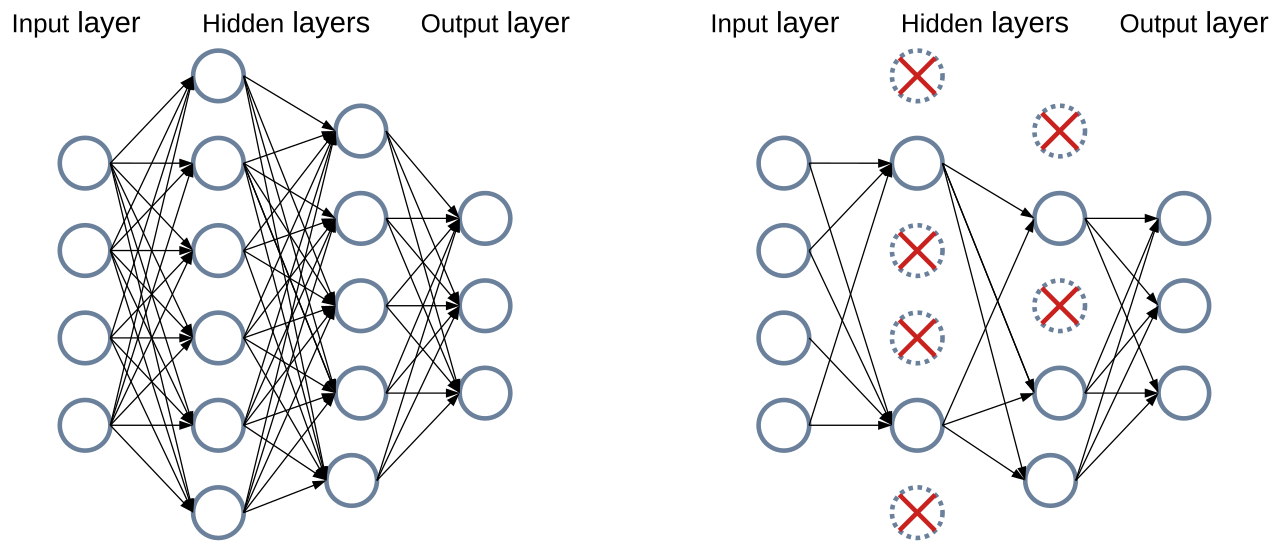
Featured image: a diagram illustrating dropout regularization in a neural network (Mads Dyrmann, via Wikimedia Commons — CC BY-SA 4.0).